
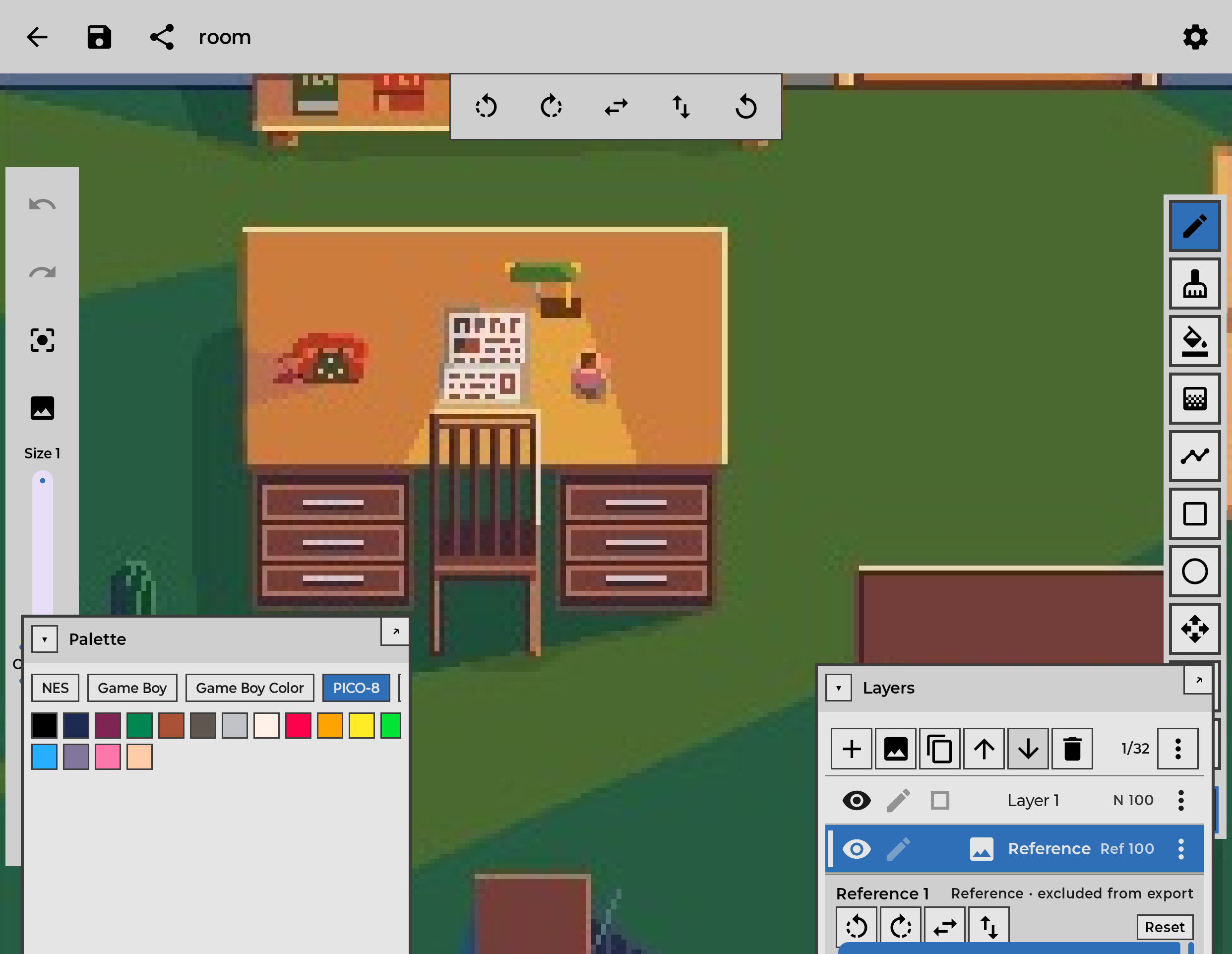
Adaptive layouts
One editor that fits the device. Floating panels on tablets and unfolded foldables, a tool ribbon with a tabbed bottom panel on phones.
Pixel-focused tools
Pencil, eraser, bucket fill, shapes, line, and eyedropper — with a pixel-perfect mode for clean diagonal strokes.
Layers, palettes & animation
Work in layers with blend modes, build palettes or use built-in ones, and animate frame by frame with onion skin — then export GIF, APNG, or MP4.
Local-first projects
Your work lives in .dxl project files on your device. Import and export happen only when you ask.
Designed for Android form factors
Dixel is built for the way Android devices actually work. On a phone, the canvas takes the screen with a tool ribbon on one edge and a single bottom panel that tabs between Palette, Layers, and Options. On a tablet or an unfolded foldable, those controls become floating, draggable panels over a full-screen canvas.
Stylus input is supported, so you can draw with a pen as comfortably as with a finger. With an S-Pen, the pencil and eraser respond to pressure.
Tools made for pixels
Every tool is built for working a pixel at a time: pencil and eraser, bucket fill, line, rectangle and ellipse (filled or outline), move, and eyedropper. A pixel-perfect mode removes the L-shaped artifacts that diagonal strokes usually leave behind.
Build your own palettes or start from built-in ones, work in RGBA or indexed color, and make rectangular, lasso, polygonal, or color-based selections — then move, scale, rotate, or flip them.
Animate frame by frame, with onion skin, playback, tags, and linked cels, then export an animated GIF, an animated PNG, an MP4 video, or a sprite sheet for your game.
Local-first, by default
Your artwork stays on your device. Dixel keeps each project as a .dxl file in the app's private storage and never uploads your work on its own. You decide when images come in and when they go out: imports use Android's system photo picker, and exports happen only when you ask for them.
Get Dixel
Dixel is available on Google Play for phones, tablets, and foldables.